
Know what is available
See stock on hand, quantities already promised, and incoming supply by item and location.

Olonka connects customer orders, purchasing, production, inventory, and shop-floor work so your team can spot shortages early and keep every order moving.
One place to run the work
Explore Olonka
No more disconnected spreadsheets. Olonka keeps every order, purchase, production step, and stock movement connected.
Inventory
See what is on hand at any location, already promised, or on the way in real-time.
Explore InventoryHow Olonka works
A customer order changes available stock. A shortage becomes purchasing or production work. Receiving and production update the same records your warehouse and sales team use.
Create a quote or sales order with the customer, items, delivery date and location.
Compare stock on hand, quantities already reserved and supply that is on the way.
Turn a shortage into a linked purchase order or manufacturing order without retyping it.
Operators receive goods, pick materials, complete production, and record what happened.
Pack and ship the order, then review the stock movements, product cost, and margin behind it.
Orders
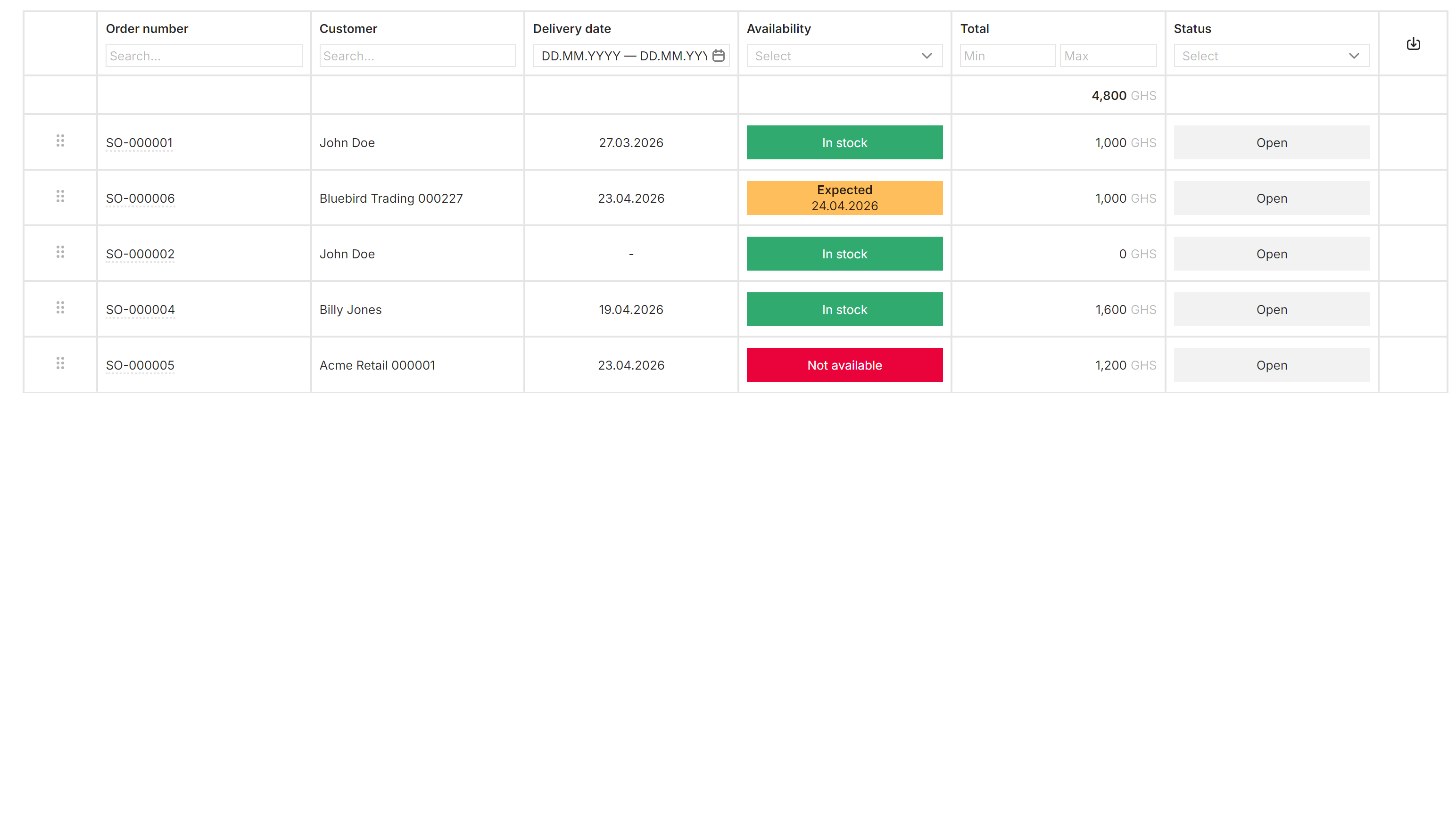
Each order line shows whether the item is available, expected, or short. When more supply is needed, create the purchase or manufacturing order from the line and keep the link back to the customer order.
Planning and replenishment
Olonka projects stock from what you have, what customers have ordered, and what is already coming in. It shows when an item will run short, how much is missing, and whether to buy it or make it.
Factory and warehouse
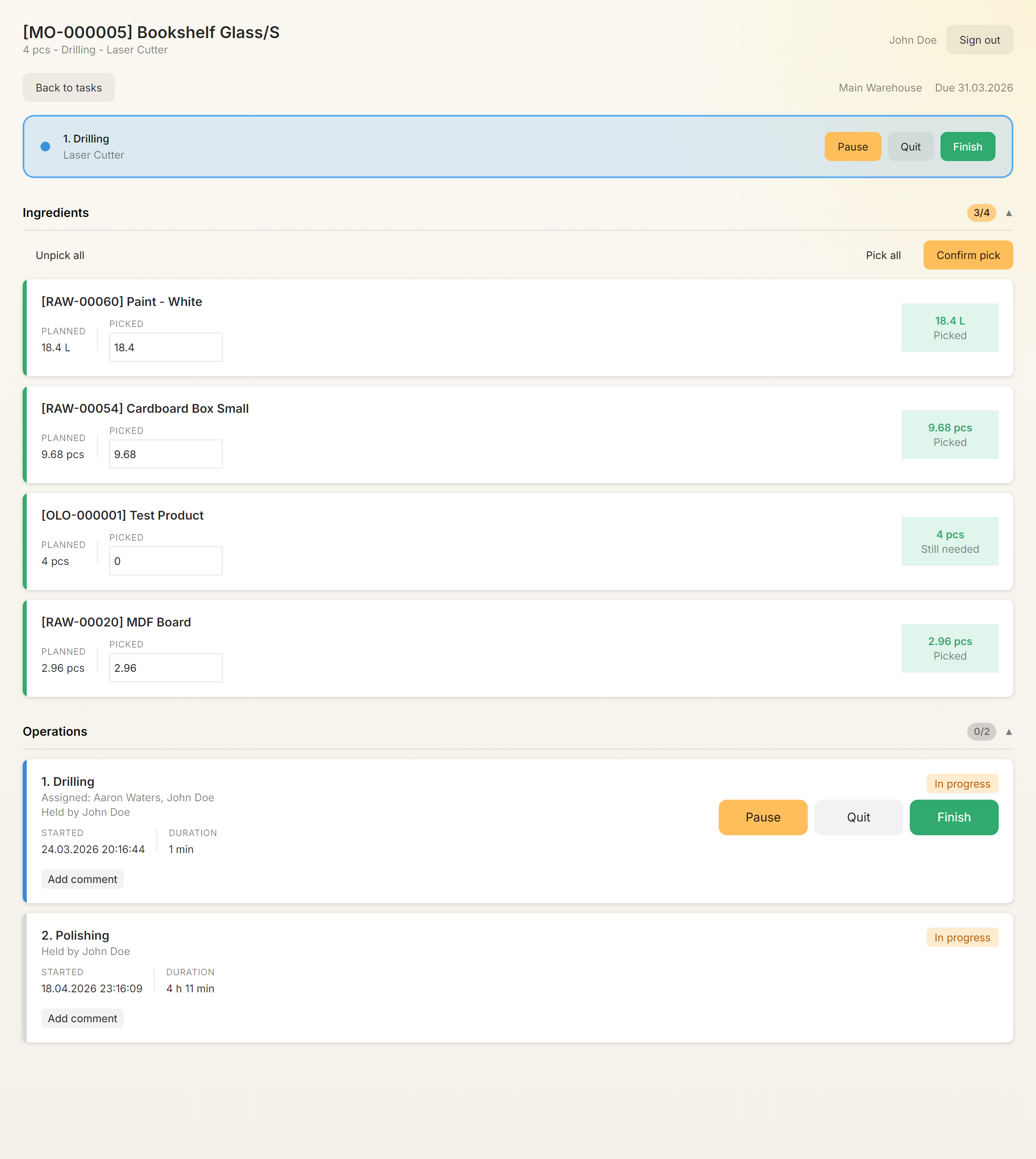
Operators sign in on a tablet or workstation, see the production or warehouse work assigned to them, and record progress in real time.
Pick ingredients or scan a matching barcode.
Start, pause, resume, and finish production steps.
Record actual time and leave notes for the next shift.
Receive goods, pick and pack orders, and mark shipments as sent.
What your team can manage
Products, locations, orders, materials, stock movements, costs, and user access all support the same workflows.
See stock on hand, quantities already promised, and incoming supply by item and location.
Give each product variant its own materials, production steps, resources, time and cost.
Follow tracked items from receipt through storage, production, and customer shipment.
Review purchase spend, manufacturing cost, stock value, gross profit, and margin.
Set access by role and location, add custom fields, and keep a searchable audit history.
Bring in commerce orders, create financial documents, import files, or use the public API.
 Inventory decisions happen here.
Who Olonka is for
When sales, purchasing, production, and the warehouse each keep separate files, Olonka gives everyone one place to plan and record the work.
Designed for growing product businesses in Africa.
Integrations and API
Connect Shopify or WooCommerce, create financial documents through Built, import spreadsheet data or our API to connect your own systems.
 Shopify
 WooCommerceBBuilt{}REST APICSVImports
Start where the delays are
Bring in your products, start with sales, inventory, or production, and add the rest when your team is ready.